Chronos Engine
Schedule any MediaAegis job to run automatically — on a recurring schedule, in the background, across multiple servers at once. Your library stays protected even when you’re not at your Mac.
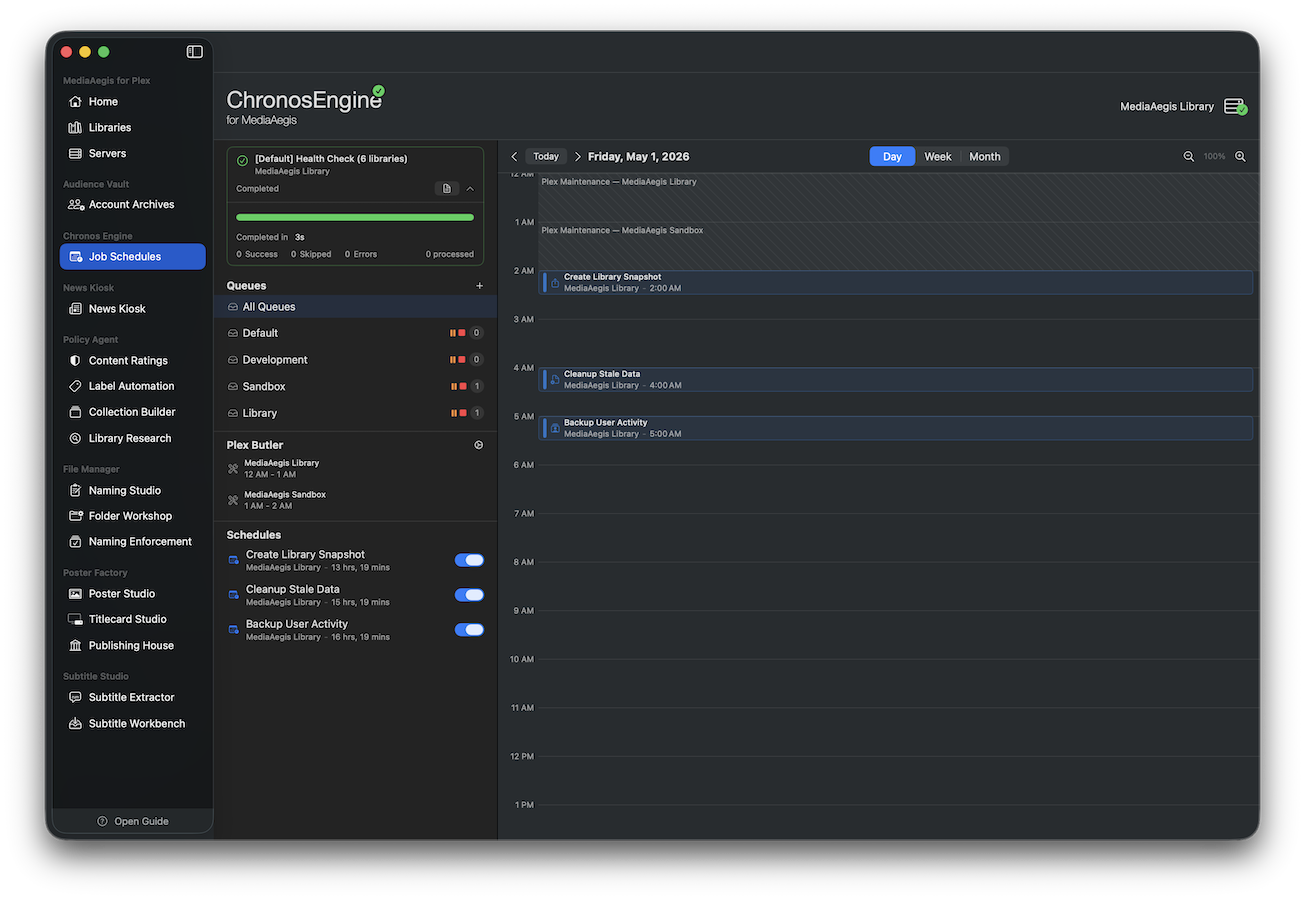
Automated scheduling
Set it and forget it. Schedule snapshots, policy scans, collection builds, and any other MediaAegis job to run on a recurring basis. Chronos handles the rest — firing jobs on time, recording results, and computing the next run automatically.
- Schedule any job type: snapshots, imports, policy scans, collection builds, and more
- Flexible recurrence: daily, weekly, monthly, or custom intervals
- One-time schedules for migrations or one-off tasks
- Visual calendar with day, week, and month views
- Color-coded execution status: running, completed, failed, cancelled
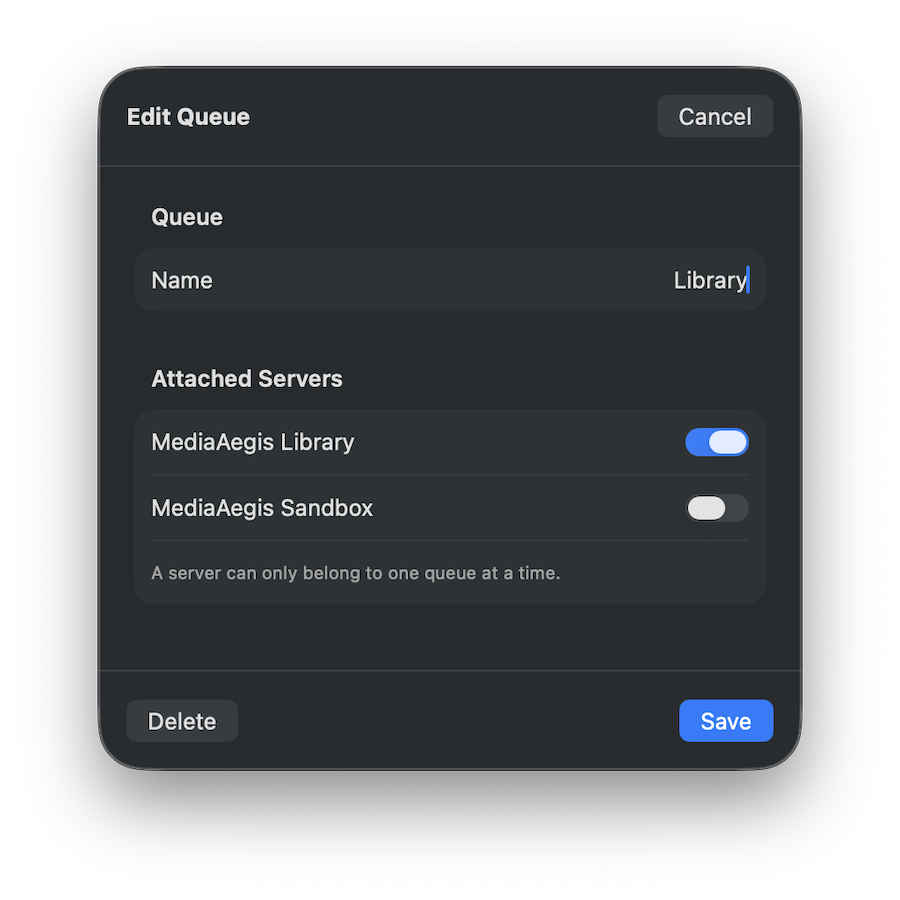
Multi-queue concurrency
Run jobs on multiple servers simultaneously. Assign each Plex server to its own named queue, and Chronos executes one job per queue in parallel — so a snapshot on your NAS doesn’t block a policy scan on your local server.
- Create named queues and assign servers to them
- Each queue processes one job at a time — different queues run in parallel
- Pause, resume, or stop individual queues independently
- Monitor all active jobs across queues from one panel
Background execution
Chronos installs a lightweight macOS Launch Agent that runs scheduled jobs even when the MediaAegis app is closed. It checks for due jobs every 60 seconds, executes them, writes results back to the shared database, and exits — no background process sitting idle.
- Jobs run on schedule whether the app is open or not
- Lightweight Launch Agent — starts, executes, exits
- Shared SQLite database (WAL mode) for safe concurrent access
- Full execution history with detailed logs and duration tracking
Plex Butler Integration
Four integration levels: Off, Aware (show maintenance windows on calendar), Respectful (avoid scheduling during maintenance), or Full Control (MediaAegis owns all Plex maintenance scheduling).
Execution History
Every job run is recorded with state, duration, detailed logs, and summary. Configurable retention from 30 days to forever. Runtime stats inform calendar block sizing.