File Manager
Enforce consistent naming across your media library with formula-based profiles, and audit folder structures for compliance — all powered by your Plex metadata.
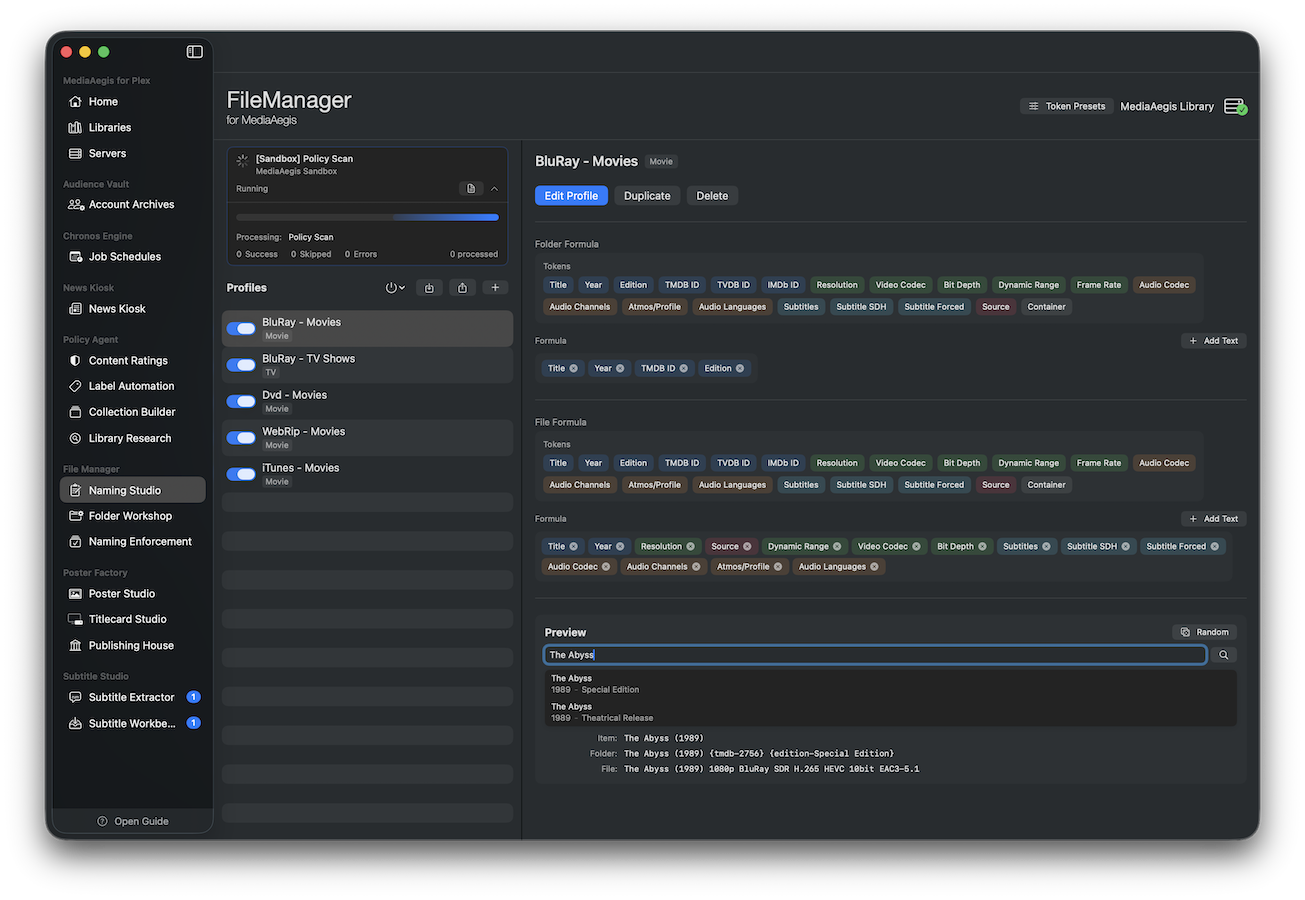
Naming Studio
Build naming formulas from 25+ metadata tokens — title, year, resolution, codec, dynamic range, TMDB ID, and more. MediaAegis resolves each token from your Plex metadata and applies lookup lists to normalize values.
- 25+ tokens covering title, year, resolution, scan type, codec, language, and external IDs
- Conditional tokens for format-specific segments (e.g., HDR, Atmos)
- Lookup lists normalize raw values — map “HEVC” to “x265”, or resolution + scan type to “1080p” automatically
- Create multiple profiles for different libraries or naming conventions
- Live preview shows the resolved filename as you build the formula
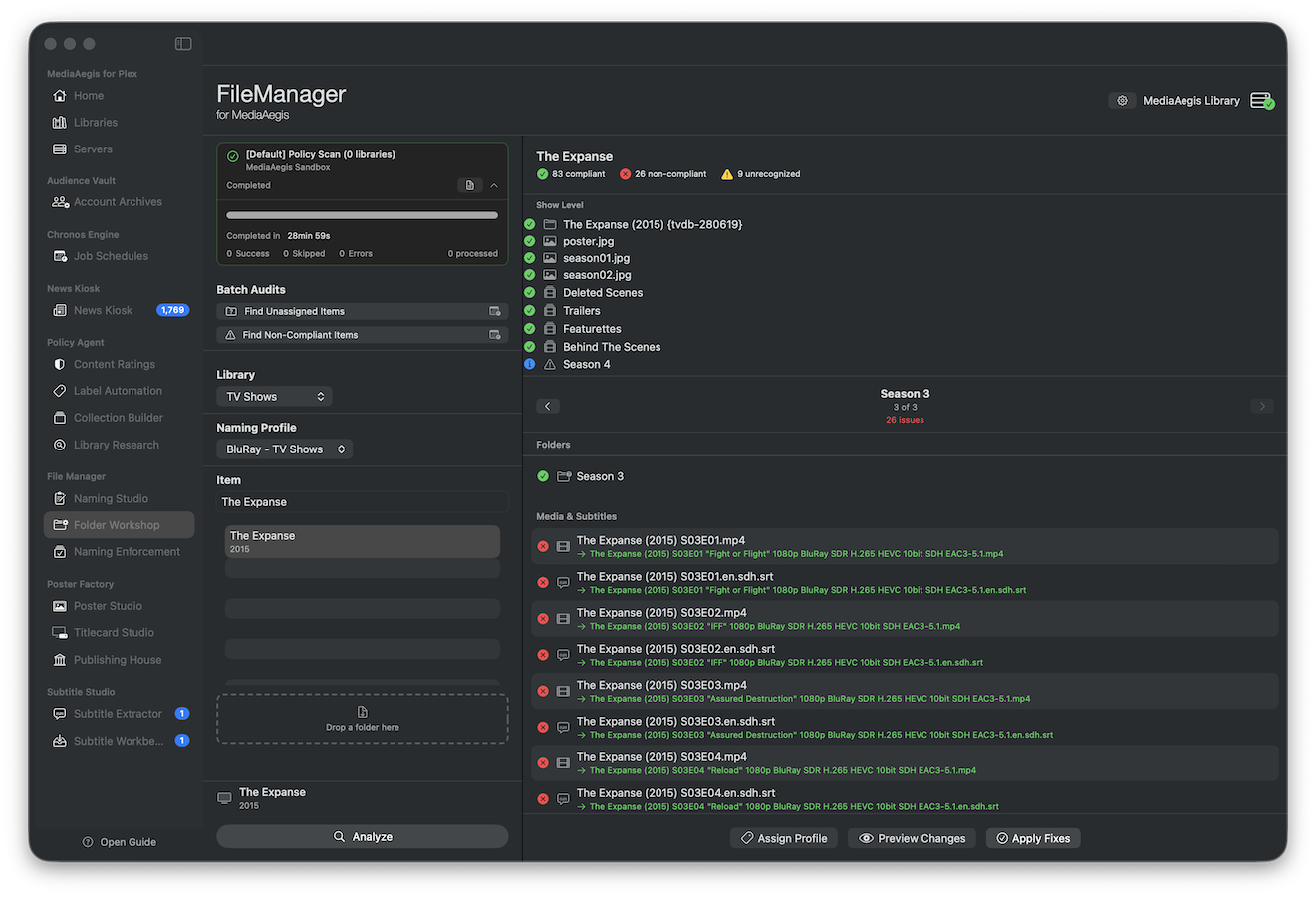
Folder Workshop
Audit your media folders against a naming profile and see exactly which files and folders are non-compliant. Preview every rename operation before applying, with full undo support.
- Drag-and-drop a folder to scan, or browse by library
- Side-by-side comparison of current vs. expected names
- Preview all rename operations before committing
- Full undo support — revert any rename batch
- Handles Movies and TV Shows with season-aware hierarchy
- Recognizes split-file (stacked) movies and episodes — keeps each part’s identifier intact when renaming