Subtitle Studio
Extract embedded subtitle tracks from your media files — one file or an entire season at once — convert image-based subtitles to searchable SRT with OCR, clean them up with layered automated correction, and translate them into another language with AI.
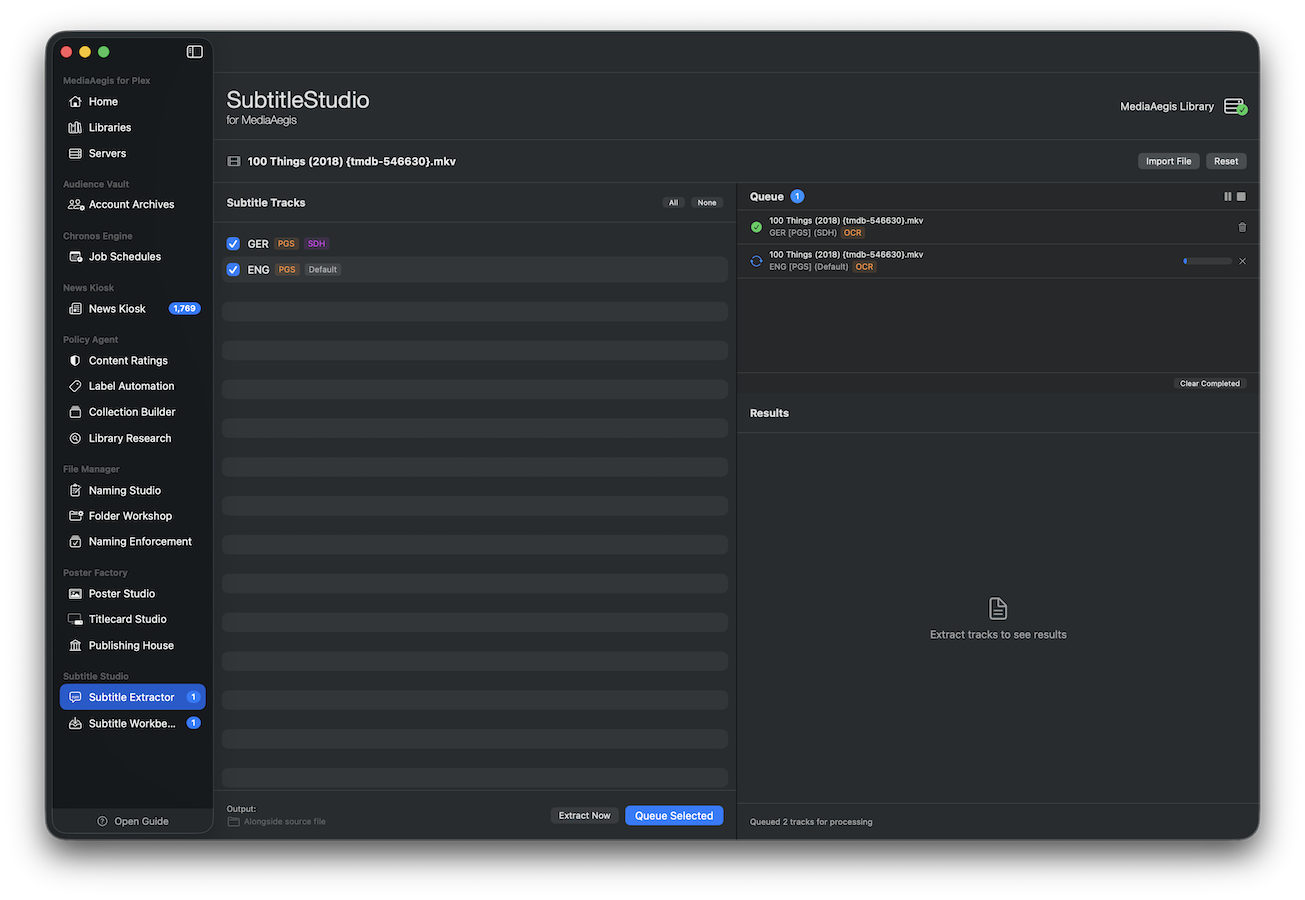
Subtitle Extraction
Detect and extract every subtitle track embedded in your media files. Text-based subtitles are extracted directly in their original format. Image-based subtitles from Blu-ray (PGS) and DVD (VobSub) discs are converted to SRT through a full OCR pipeline — choose between Tesseract (with custom-trained subtitle models) or Claude Vision AI for the best results from any source.
- Detect all subtitle tracks with language, codec, and metadata details
- Extract text-based subtitles directly: SRT, ASS, SSA, WebVTT, CEA-608/708
- Convert image-based PGS and VobSub subtitles to SRT via Tesseract or Vision AI
- Custom-trained OCR models optimized for Blu-ray and DVD subtitle formats
- Intelligent image preprocessing classifies text color and optimizes for OCR accuracy
- Multi-language OCR support via Tesseract language packs
- Drop a whole season at once — batch mode groups files by episode and lets you select tracks across all of them, including a one-click "select every track of a language"
- Background queue processes extractions sequentially — submit and move on
- Completed files land in the Workbench inbox, ready for cleanup
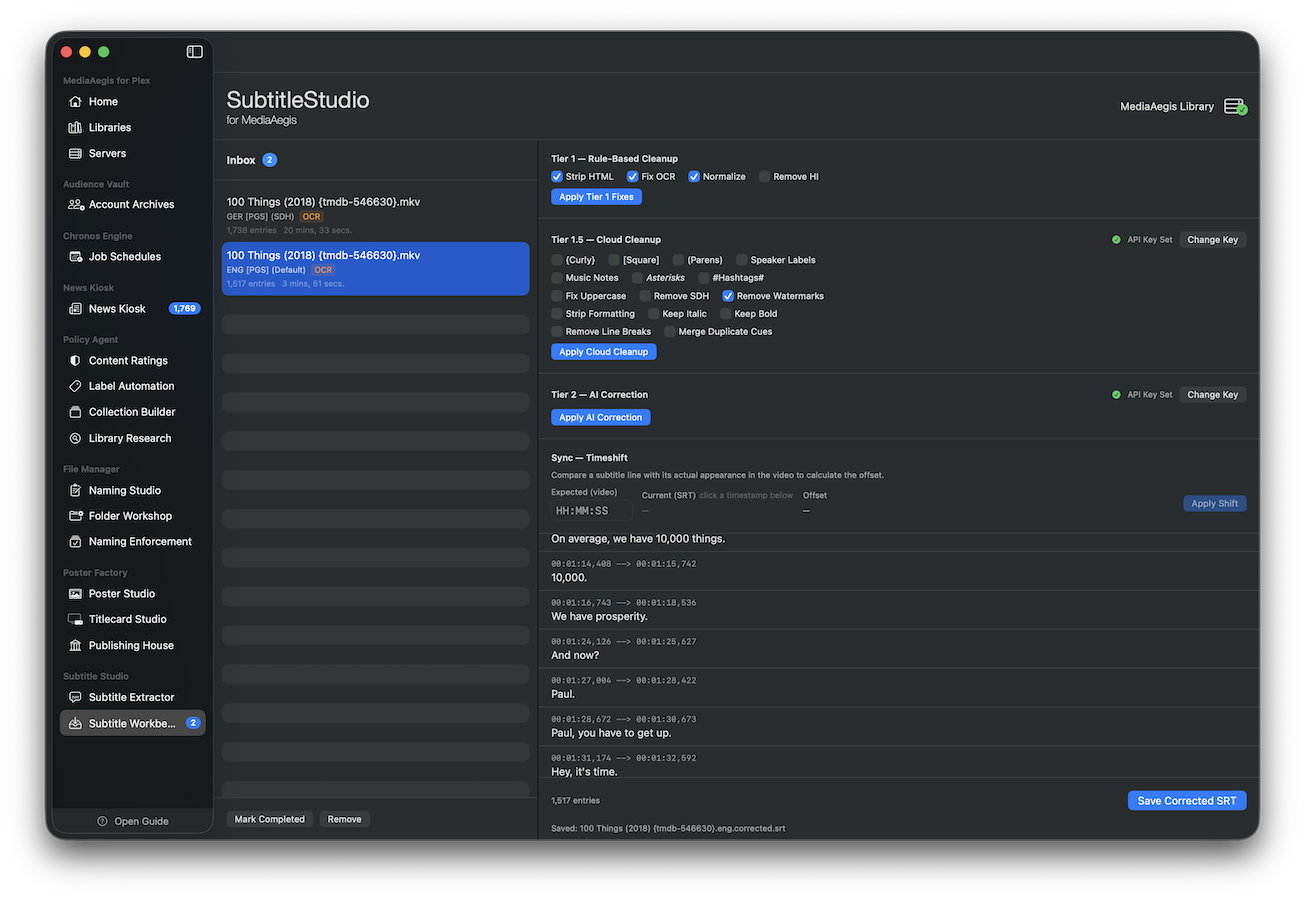
Subtitle Workbench
Clean up extracted or existing SRT files with a layered correction system. Apply comprehensive local fixes, finish with AI-powered grammar and spelling correction, and translate the result into another language — all on the same editing surface. Each step builds on the last, and every step can be undone.
Tier 1 — Rule-Based Cleanup
15 configurable local fixes: strip HTML, brackets, speaker labels, music notes, watermarks, and SDH indicators. Remove hearing-impaired text, normalize formatting, fix OCR errors, and merge duplicate cues — all instant and free.
Tier 2 — AI Correction
Grammar, spelling, and punctuation fixes powered by Claude AI. Processes subtitles in batches with multi-language support. Optional uppercase cue correction for all-caps Blu-ray subtitles.
AI Translation
Translate a subtitle into another language with Claude while keeping every cue's timing intact — ideal for a foreign-language disc that only ships subtitles in its own language. Choose Haiku or Sonnet, and optionally save a clean copy with SDH/HI markers stripped.
Bitmap Preview
For OCR-converted subtitles, the original bitmap image is displayed alongside the text so you can verify accuracy and catch OCR errors at a glance.
Timeshift & Sync
Fix out-of-sync subtitles by selecting a known line, entering the expected timestamp, and applying the calculated offset to the entire file.
Cumulative Corrections & Undo
Apply tiers in any order and as many times as needed — each builds on the previous result. Full undo stack lets you step back through every correction.
Supported formats
- Media files: MKV, MP4, M4V, AVI, MPEG-TS, QuickTime
- Text subtitles: SRT, ASS, SSA, WebVTT, CEA-608/708
- Image subtitles: PGS (Blu-ray), VobSub (DVD)
- OCR output always produces clean, editable SRT